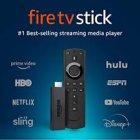
Amazon Fire Stick Setup Guide
Set up IPTV on your Amazon Fire TV Stick using the Downloader app to sideload IPTV applications.
Step-by-Step Instructions
Enable Unknown Sources
Go to Settings > My Fire TV > Developer Options. Enable "Apps from Unknown Sources" and "ADB Debugging".
Install Downloader
Search for "Downloader" in the Amazon App Store and install it.
Download IPTV App
Open Downloader and enter the URL for IPTV Smarters or TiviMate APK. Click "Download".
Install the App
Once downloaded, click "Install" to install the IPTV app on your Fire Stick.
Configure IPTV
Open the installed app and configure it with your Xtream Codes credentials from the welcome email.
Setup Complete!
Your Amazon Fire Stick is now configured with Fox IPTV. Enjoy watching your favorite channels and content!
Pro Tips
- Use a VPN for additional privacy
- Clear cache regularly for better performance
- Connect via Ethernet adapter for stable streaming
Need Help?
Our support team is available 24/7 to help you with the setup.



Don't Have a Subscription Yet?
Get started with a 24-hour free trial and experience premium IPTV on your Amazon Fire Stick.